flexyPage®
Display Excellence.

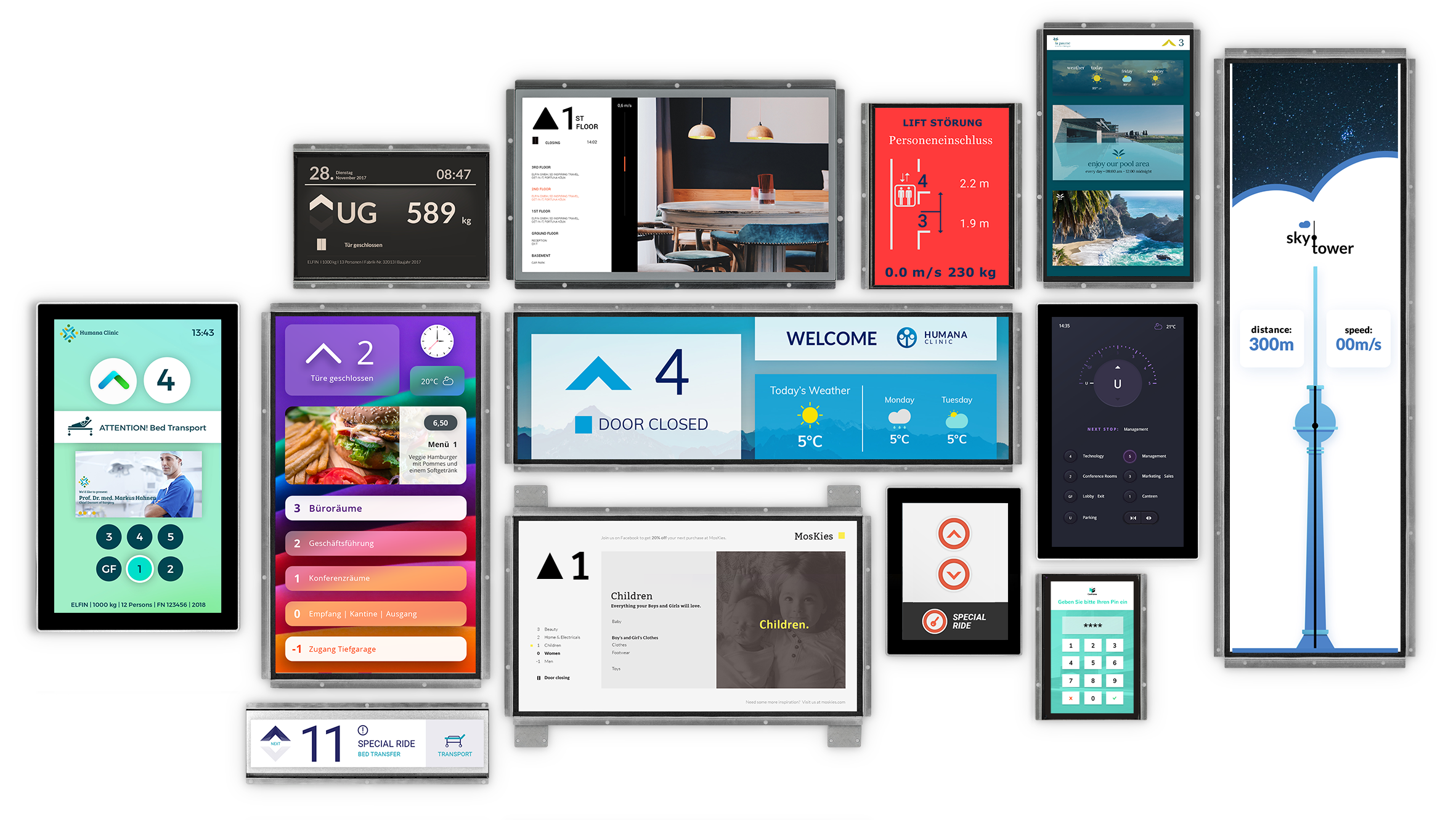
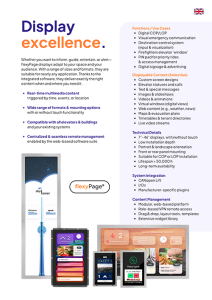
Whether you want to inform, guide, entertain or warn, flexyPage displays adapt flexibly to the space and audience. With the integrated software, they deliver exactly the content that is needed in real time – in your own corporate design.

  • Multimedia content in real time
    Triggered by time, sensors, events or location
  • Wide range of formats & mounting options
    7” – 46”, with/without touch, also available in special formats
  • Compatible with all elevators & buildings
    New construction & modernization, and with your existing systems
  • Centralized and seamless remote management
    thanks to web-based software suite
  • No external controller required
flexyPage-Logo

Functions / types of use

  • Digital COP/LOP
  • Visual emergency call communication
  • Destination call system (input & visualization)
  • Replacement for windows in the firefighter elevator
  • PIN pad for priority rides & access management
  • Digital Signage & Advertising

Displayable contents (excerpt)

  • Individual screen designs
  • Elevator statuses and calls
  • Texts & special texts
  • Pictures & slideshows
  • Videos & animations
  • Digital window (virtual view)
  • Internet content (e.g. weather, news)
  • Maps & evacuation plans
  • Timetables & tenant directories
  • Video streams in real time

Technical details

  • 7″-46″ with/without touch
  • Low installation depth
  • Portrait & landscape format
  • Front & rear mounting
  • Can be used in COP or LOP
  • Service life > 50,000 h
  • Long-term availability

Control

  • CANopen Lift
  • I/Os
  • Manufacturer-specific plugins

Content management

  • Modular, web-based
  • Role-based VPN remote access
  • Drag & drop, layout tools, templates
  • Comprehensive widget library

Safety. Made visible.

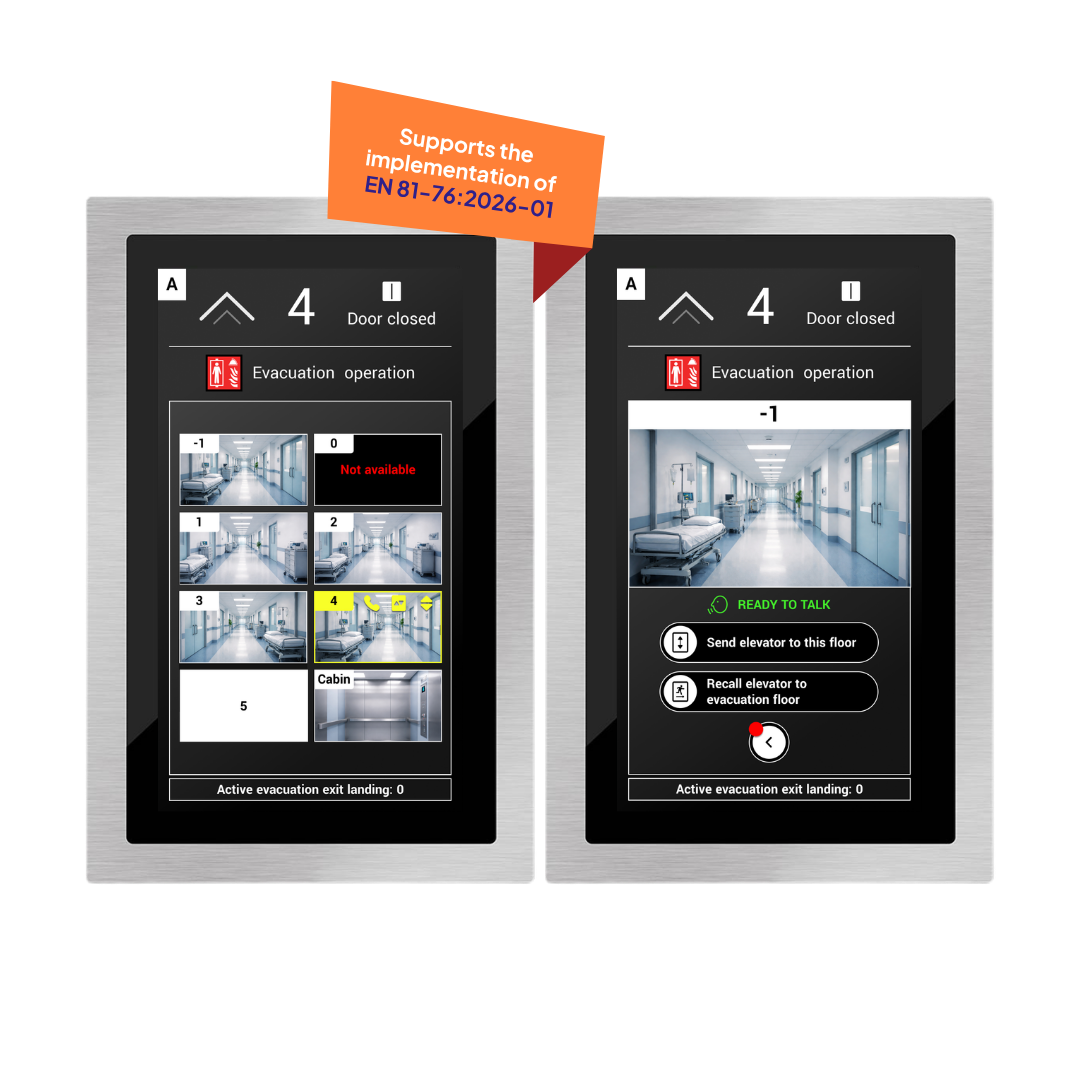
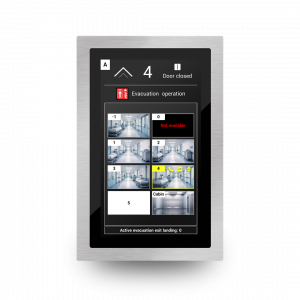
NEW: VideoEvac, the flexyPage extension designed for evacuation elevators, delivers video feeds from building floors for a more accurate assessment of the situation

  • Overview of all floors
  • Intuitive operation and floor selection
  • Clear status indications in evacuation mode
  • Seamless integration into existing fire safety &
  • Control systems
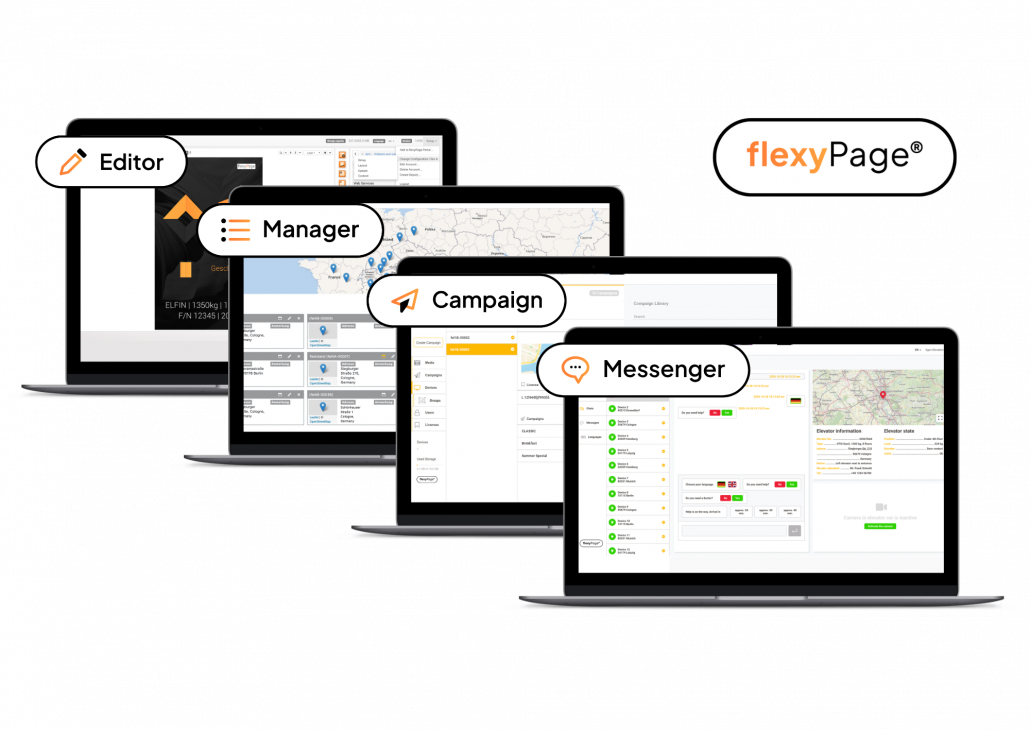
flexyPage Software Suite Screenshots

The magic’s in the software.

The flexyPage software suite gives you full control over your displays. Whether you operate one elevator or hundreds, our tools reduce your time and open up completely new communication possibilities.

  • Web-based
  • Role-based
  • Modular
  • Secure access via VPN

How you can use flexyPage®

Smart COP Multimedia Displays with/without Touch

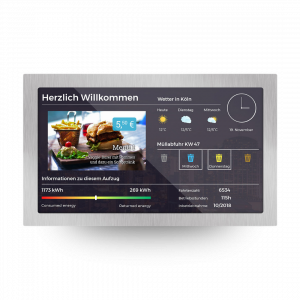
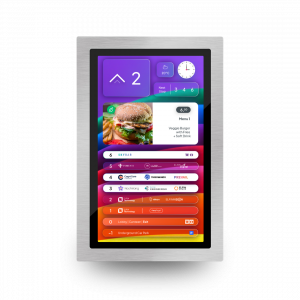
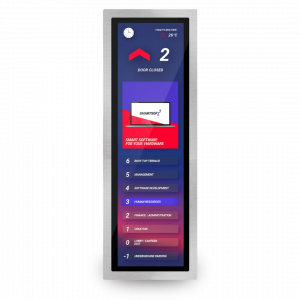
flexyPage elevator displays are particularly suitable as smart COP displays thanks to their connections for the components in the car control panel. Call buttons and door buttons can be connected directly to the smart displays. In addition to floor status and direction display, special texts such as fire, door status or "out of order" as well as multimedia in the form of videos, slideshows and websites can also be displayed. The displays also support a barrier-free two-sense emergency call with flexyPage Messenger. flexyPage displays are available in many sizes and designs so that they can be flexibly adapted to the corporate design. Optional widgets offer additional customization options for your smart COP display.

Destination Call

Modern elevators increasingly feature destination call systems, particularly useful in buildings with high user traffic. flexyPage touch displays can be used as input and visualization systems for destination calls on each floor of a building. In a destination call system, elevator users select their desired floor via the touch display before entering the elevator. The system then visually or acoustically directs passengers to the appropriate elevator, ensuring they reach their desired floor as quickly as possible.

Digital Signage

Whether displaying signposts, departure times, gates and platforms - or sensor-based people flow optimization, for example through security checks: our product portfolio includes many digital signage solutions that make public buildings such as airports, hospitals and train stations more effective and safer and significantly improve the visitor experience. Welcome your customers and visitors on arrival with an overview of local contacts, waiting times or checklists for effective check-in.

Two-senses Emergency Communication

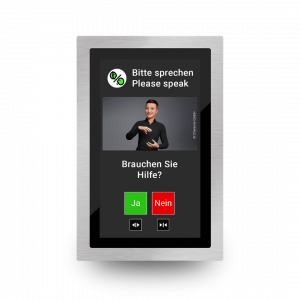
With flexyPage Messenger, we offer a compliant visual communication channel on flexyPage smart displays for hearing-impaired and mute people during an emergency. Integrated with standard audible emergency call devices, it enables text-based interaction between trapped people and emergency responders. This feature supports multiple languages and therefore provides a communication channel with the emergency call center for people who do not speak the local language. The two-senses emergency call can optionally be supplemented with a video connection.

Directories & Floor Plans

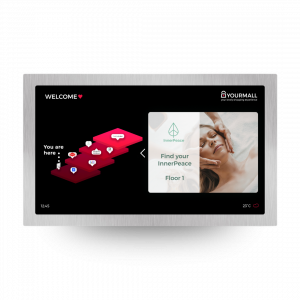
Do you operate a building with a high volume of visitors or frequently changing tenants? Use flexyPage Smart Multimedia Displays to quickly show visitors the right way. Site plan, tenant directory, directions - our displays can be used to show everything that improves the visitor experience. The content is easy to create, manage and display with pinpoint accuracy. With the optional touch function, visitors can even look around your virtual site plan in detail or obtain further information on stores, tenants or individual floors of your building, for example.

Information & Entertainment

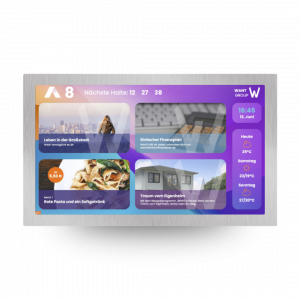
Whether it's a weather forecast, the latest news or your company's image film - with our displays you can transform foyers, waiting areas or even business lounges into a place of entertainment. Our displays are equipped with integrated software and a web-based editor. This allows you to easily adjust the layout of the display, the content or the interface parameters. If the display has an internet connection, you can also carry out the configuration conveniently and flexibly from a distance using a smartphone, laptop or tablet.

Digital Window

The "digital window" application in an elevator is created when a video is displayed based on the position of the elevator car, giving the impression of looking out of a window. After loading the desired video, it is indexed after a learning ride to the top and bottom floors. The video is displayed in real-time according to the position, direction of travel, and speed of the elevator on the screen. Special positioning sensors provide the necessary data and can also be retrofitted. The flexyPage controller evaluates the position data every 10 ms and provides it to the video controller to select the correct video frame.

Advertising

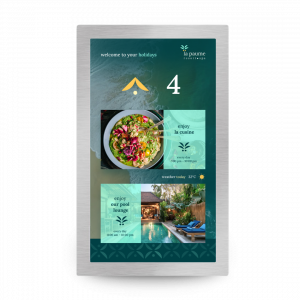
Use our flexyPage Smart Multimedia Displays for advertising in any form - from texts and slideshows to videos. With our intelligent flexyPage Campaign software, this content can be easily entered and scheduled and played out according to time or event. Lunchtime? Advertise a menu of the day in a hotel restaurant. A new store in your shopping center is celebrating with opening offers? Let your visitors know about it in an impressive way. Whether for your own advertising or as an additional source of advertising revenue, our displays offer you the ideal platform.

Detailed information?

Downloads

Product catalog

flexyPage Katalog Titelbild

Product brochure (DE)

flexyPage product brochure screenshot

Product brochure (EN)

flexyPage product brochure screenshot

Or visit our product website

Extract from our projects

Do you need specific information?

Contact us

ELFIN Technology GmbH

+49 221 6778932-0
sales@elfin.de

This contact form is deactivated because you refused to accept Google reCaptcha service which is necessary to validate any messages sent by the form.
Copyright © 2026 ELFIN Technology GmbH. All rights reserved.