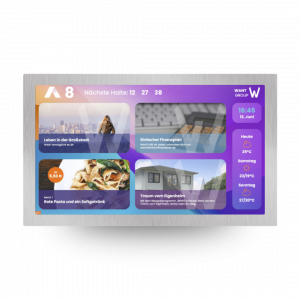
Dear Planners,

as true experts in the specialized field of elevator planning, you are an important partner for us in nearly all our projects.

On our website, you will find all the relevant information about our products and how they can be used in a wide range of applications.

In addition, we would like to use this page to offer services that we hope will be particularly useful to you as an elevator consultant.

One thing is certain:

We’re elevator nerds, just like you! Never hesitate to reach out to us with questions or to discuss even your wildest ideas with us.

For years, we have been your reliable partner for elevator displays, control systems, and monitoring solutions.
Tender Specifications

Would you like to integrate a specific product from the flexyPage system into your building project?
Here you will find the latest tender specifications for our display systems and our two-senses emergency communication system.
Our sales team will also be happy to help you select the right product for your project.

Tender Specification for Multimedia and Information Displays for Elevators

  • Industrial-quality displays, backlight lifetime of at least 50,000 h
  • Viewing angle > 170 °
  • Use in continuous operation 24/7
  • Brightness min. 250 nit, dimmable
  • Stepwise energy saving modes depending on the operating status of the elevator
  • Fanless hardware design
  • Flush mounting
  • Design and contents of the screen design can be changed by the building owner using a standard browser
  • Secure remote configuration over the Internet by technicians and building owner
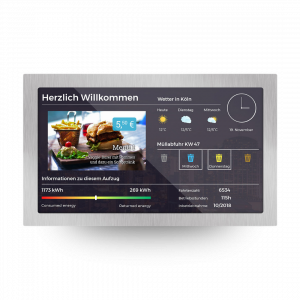
  • Time- and event-controlled display of lift data and multimedia data on one screen
  • Call input via capacitive glass touch screen, input of the storey calls, visual and acoustical acknowledgment of calls, floor encryption via PIN entry, determination of priorities and assignment of car doors for the calls
  • Secure, multi-level rights management system for access to parameters and content depending on the user’s authorization level with at least three authorization levels for technicians, screen designers and content managers
  • Field bus connection to the elevator – support of CANopen-Lift CiA-417 protocol

General 

  • Usable in the cabin and on the floors
  • Open interfaces, support of CANopen-Lift protocol (CiA 417) with proof of interoperability at a CANopen-PlugFest
  • Support of EN81 20/50

Hardware Requirements

  • Construction sizes with a screen diagonal from 26 cm (10″) to 165 cm (65″)
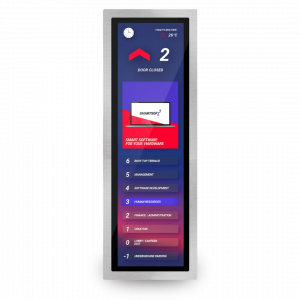
  • Aspect ratio of screens in up-to-date 16:9 and stretched format
  • Industrial-quality displays
  • Backlight LED with a lifetime of at least 50,000 h (at 20° C and brightness 100%)
  • Use in continuous operation 24/7
  • Picture quality
    • Viewing angles of at least 170° vertically and horizontally
    • 16.7 million colors
    • Brightness at least 250 nit
    • Contrast min. 600:1
    • Resolution at least 1920×1080 pixels (for displays with a diagonal > 30 cm) or 1920×540 pixels (for Stretched displays with a diagonal > 50 cm)
  • Brightness adjustable / dimmable
  • Backlight can be completely switched off
  • Optionally with capacitive touch sensor
  • Low power consumption and fanless design
  • Temperature range min. 0°C – 50°C
  • Connection for external speakers and sound output for voice announcement, gong and overload signal
  • Installation depth < 50 mm
  • Protective glass / acrylic glass with anti-reflective coating and optionally as laminated safety glass
  • Flush mounting

Software Requirements

  • Design and contents of the screen design can be changed by the operator himself
  • Screen design can be adapted to the style of the building and the corporate identity of the operator or to the particular application
  • Use of custom colors, wallpapers, slideshows, logos, fonts, sound files and videos customizable by the user
  • Configuration via PC, tablet and smartphone using a current browser without the installation of a special configuration software
  • Remote configuration via the Intranet of the building or via the Internet possible
  • Provision of a web-based platform for central access and management of the devices and the screen design
  • Possibility of securing configurations and parameter set of the displays in a central platform
  • Central management of content for groups of displays
  • Configuration software is included and will not be charged permanently
  • Possibility of visualization of lift data: floor level, direction of travel, onward travel and at least 40 configurable special texts
  • Possibility of visualization of sensor data such as cabin position and speed, load and energy demand
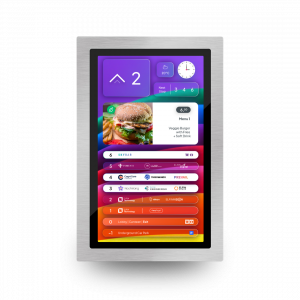
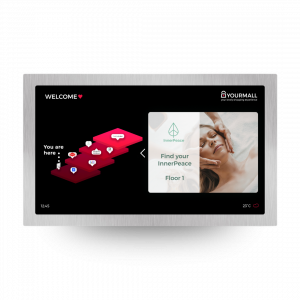
  • Display of floor names with acknowledgment in text form and as graphic / logo
  • Presentation of several residents per floor in text form and as graphic / logo
  • Call input selectable via the selection of floor or resident
  • Presentation of Internet content such as news or weather data
  • Display of date and time in various formats with automatic changeover from summer time / winter time
  • Multi-level energy saving function – Support of CANopen-Lift energy management
  • Documentation and configuration tool at least available in German and English
  • Presentation of multimedia features: slideshows and videos
  • Video streaming from network cameras and TV channels
  • Display of elements of the screen design depending on timers and state changes of the elevator
  • Call input via capacitive glass touch screen, input of storey calls, visual and acoustical acknowledgment of calls, floor encryption via PIN entry, determination of priorities and assignment of car doors for the calls
  • Timer and event controlled display of call buttons

Safety

  • encrypted connection according to current industry standards for remote configuration via the Internet
  • Password quality at least 10 characters alphanumeric
  • 2-factor authentication for the login
  • regular free provision of firmware updates (min. for 5 years)
  • Login for several users with their own access data
  • multi-level rights management system for access to parameters and content depending on the user’s authorization level with at least three authorization levels for technicians, screen designers and content administrators
  • Logging of the last access to the display (user and time)
  • Encryption and digital signature of files for updates and parameter sets
  • Prevents the installation of third-party software on the display
  • Prevents transparent access to the file system of the display

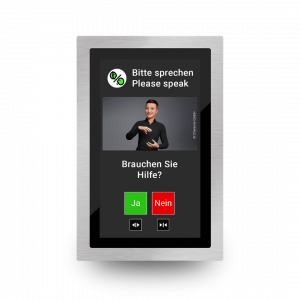
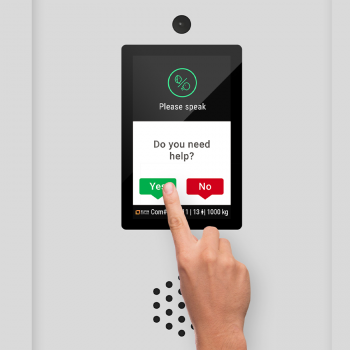
Tender Specification Two-sense Communication for Hearing Impaired Emergency Call in Elevators

Showcase safety & emergency
  • Visual representation of the signals: ‘Alarm’, ‘Please wait’, ‘Please speak’,
  • Visual display of freely definable questions and texts from an remote emergency call centre including user input of answers via touch or physical button,
  • Visual signalling of conditions and questions on a display area of at least 80×150 mm, font size at least 8 mm
  • Display of elevator data and multimedia data if there is no emergency call
  • Support of multilingualism
  • Use in continuous operation 24/7
  • Colour display with 16.7 mill. colours, viewing angle > 170
  • Brightness min. 250 nit, dimmable
  • Gradual energy saving modes
  • Fanless hardware design
  • Support of CANopen-Lift CiA-417 for communication with emergency call device and lift control
  • Design and contents of the screen design can be changed by the operator with a standard browser
  • Secure remote configuration via the Internet by technicians and operators
  • Encrypted communication with the head office via the Internet or the building’s intranet
  • Local communication server or connection to the central office of a service provider
  • Operation of the server software in the browser (web-based)
  • Unlimited number of workstations
  • Live view of the online status of the displays
  • Logging of the 2SC emergency calls in the server
  • Edit and save standard questions and hint texts in the server software
  • Addition of further languages by the user
  • Open API to third-party systems

General

  • Support of EN81 20/50
  • Can be used in the cabin of passenger and goods lifts
  • Support of the CANopen-Lift CiA-417 standard for connection to the lift with proof of cross-manufacturer interoperability at a CANopen PlugFest

Hardware Requirements

  • Sizes with screen diagonals from 17 cm (7″) to 96 cm (38″)
  • Aspect ratio of the screens in up-to-date 16:9 and stretched format
  • Displays in industrial quality
  • Backlight LED with a lifetime of at least 50,000 h (at 20°C and brightness 100%)
  • Use in continuous operation 24/7
  • Image quality
    • Viewing angle of at least 170° vertically and horizontally
    • 16.7 million colours
    • Brightness min. 250 nit
    • Contrast min. 600:1
    • Resolution at least 1920×1080 pixels (for displays with a diagonal > 30 cm) or 1920×540 pixels (for stretched displays with a diagonal > 50 cm)
  • Brightness adjustable/dimmable depending on the operating status of the lift e.g. when parking
  • Backlight can be completely switched off
  • Capacitive touch sensor as option
  • Low power consumption and fanless hardware design
  • Temperature range min. 0°C-50°C
  • Terminals for external speakers and sound output for voice announcement, gong and overload signal
  • Installation depth < 50 mm
  • Protective glass / acrylic glass pane anti-reflective and optionally as VSG safety glass
  • fFush installation

Software Requirements

  • Design and contents of the screen design can be changed by the building owner himself.
  • The screen design can be adapted to the style of the building and the corporate identity of the building owner or to the special application.
  • The dialogs for the hearing impaired emergency call appear automatically on the display when the emergency call connection is established.
  • The displays can be configured using a current browser without the installation of special configuration software, using a PC, tablet or smartphone.
  • The displays can be configured remotely via the building’s intranet or the Internet.
  • Multi-stage energy saving function of the displays for dimming and switching off the backlight – Support of the CANopen-Lift energy management
  • Documentation and configuration tool available at least in German and English
  • Presentation of multimedia functions on the displays (pictures and slide shows) when the hearing impaired emergency call is not active.
  • Video streaming from network cameras and USB cameras to the emergency call centre after an emergency call
  • Input by the lift user via a capacitive glass touch screen or separate buttons
  • Texts can be pre-formulated in various languages at the control center.
  • Messages can be freely formulated in the control center and sent to the displays.
  • Provision of an interface (API) for external systems

Safety

  • Encrypted data communication via the Internet according to current industry standards.
  • Password quality at least 10 characters alphanumeric
  • Regular provision of firmware updates for the displays for a period of at least 5 years
  • Login for several users with their own access data
  • Multi-level rights management system for the administration of users, devices and communication with the trapped.
  • Logging of communication with timestamp
  • Encryption and digital signature of files for updates and parameter sets
  • Prevents the installation of third-party software on the display
  • Prevents transparent access to the file system of the display

A Picture is Worth a Thousand Words.

Sample Screen Design for Customer Presentations

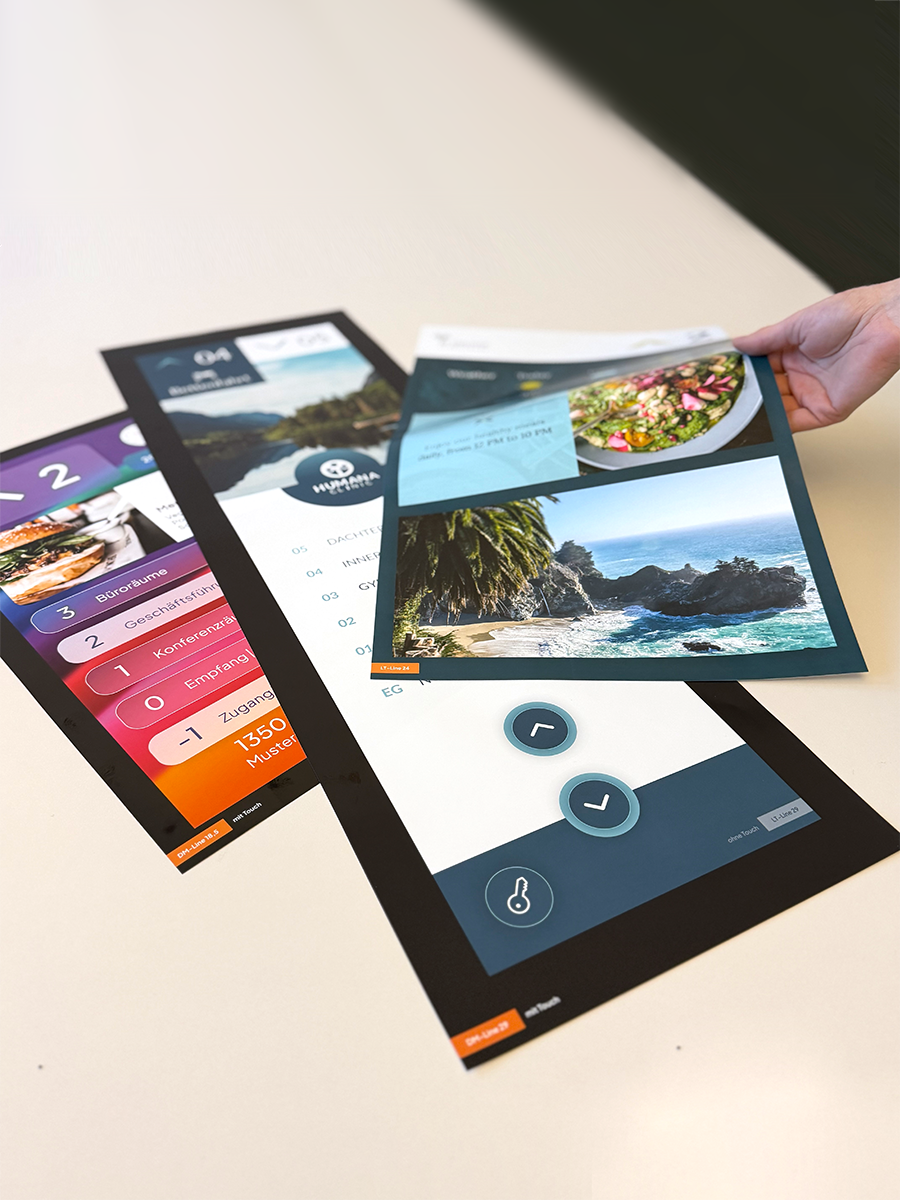
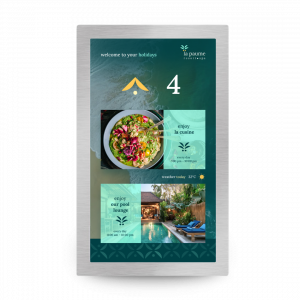
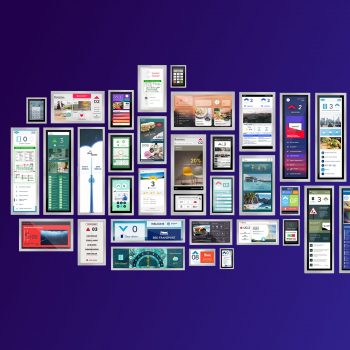
Request a sample screen design to give your customers a clear impression of our displays before making a decision. When it comes to displays, a picture is often worth a thousand words. Take advantage of this opportunity to help your customers visualize the possibilities.

Full-Size PrintsFor partners who regularly work on projects involving elevator displays, we offer a set of full-size prints.

These prints can easily be attached to the elevator cabin wall during the planning and quotation process. This allows customers to see firsthand how a display of a specific size looks in a particular position, helping them make a more informed decision.

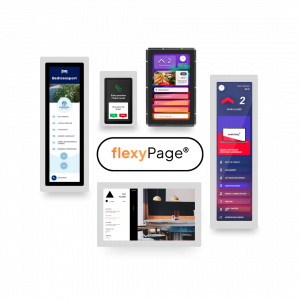
flexyPage

Smart Multimedia Displays

  • Suitable for buildings and elevators
  • 7-65 inch with/without touch & special formats
  • Easy to install & retrofit
  • No external controller required
  • Compatible with all common systems
  • High-quality workmanship
  • Energy-saving mobile processor & LED backlights that can be switched off
  • Customizable to your corporate design

ELFINVISION

Smart Sensor Technology

  • Self-sufficient system without cloud connection
  • Open interface to control & higher-level systems
  • GDPR-compliant
  • Detects movements, people and objects
  • Reliable in changing light conditions
  • Works in tight spaces
  • Works from different angles
  • Detects reflections

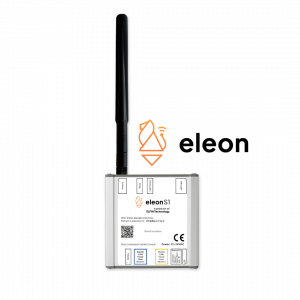
eleon S1

Universal Elevator Gateway

  • Multi-brand elevator monitoring
  • Free hardware
  • Low-cost subscription incl. eSIM & data
  • Real elevator data from the controller
  • 15 min Plug & Play installation
  • Non-invasive mounting
  • Real-time data into your existing ERP, asset management, monitoring system or partner platform
  • On-site installation training

Smarte Displays for Every Elevator

One display from 7″ to 46″ – countless applications. All essential elevator information and a wide range
of special functions for every requirement. Screen design and content always remain under the customer’s control.

Residential Property Management

Manage digital tenant directories remotely – without on-site visits.
Use elevators as an effective communication channel for tenants (meter readings, winter maintenance, promotions, etc.).

Learn More

Property Operators

Help your tenants promote their products and services throughout your buildings with centrally managed elevator advertising.

Learn More

Retail

Place effective advertising for your own products in elevators and create smart shopping experiences.

Learn More

Hotels

Use contextual advertising in elevators to increase the utilization of services such as restaurants, wellness facilities or fitness centers.

Learn More

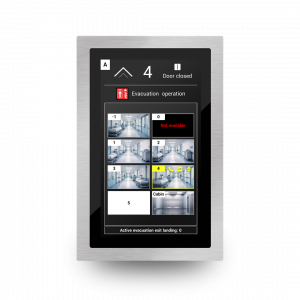
Firefighter & Evacuation Elevators

Significantly more cost-effective than fire-resistant windows in firefighter elevator doors.
Required for evacuation elevators operating in remote evacuation mode under EN 81-76.

Learn More

Elevator Manufacturers

Create countless flexible customer solutions with modern displays and stand out clearly from the competition.

Learn More

Public Buildings

In an emergency, elevator displays become a standards-compliant two-sense emergency communication system.

Learn More

Headquarters

Truly reach your employees with effective communication inside and in front of elevators.

Learn More

Showcases

Contact Us

ELFIN Technology GmbH

+49 221 6778932-0
 service@elfin.de

This contact form is deactivated because you refused to accept Google reCaptcha service which is necessary to validate any messages sent by the form.
Copyright © 2026 ELFIN Technology GmbH. All rights reserved.